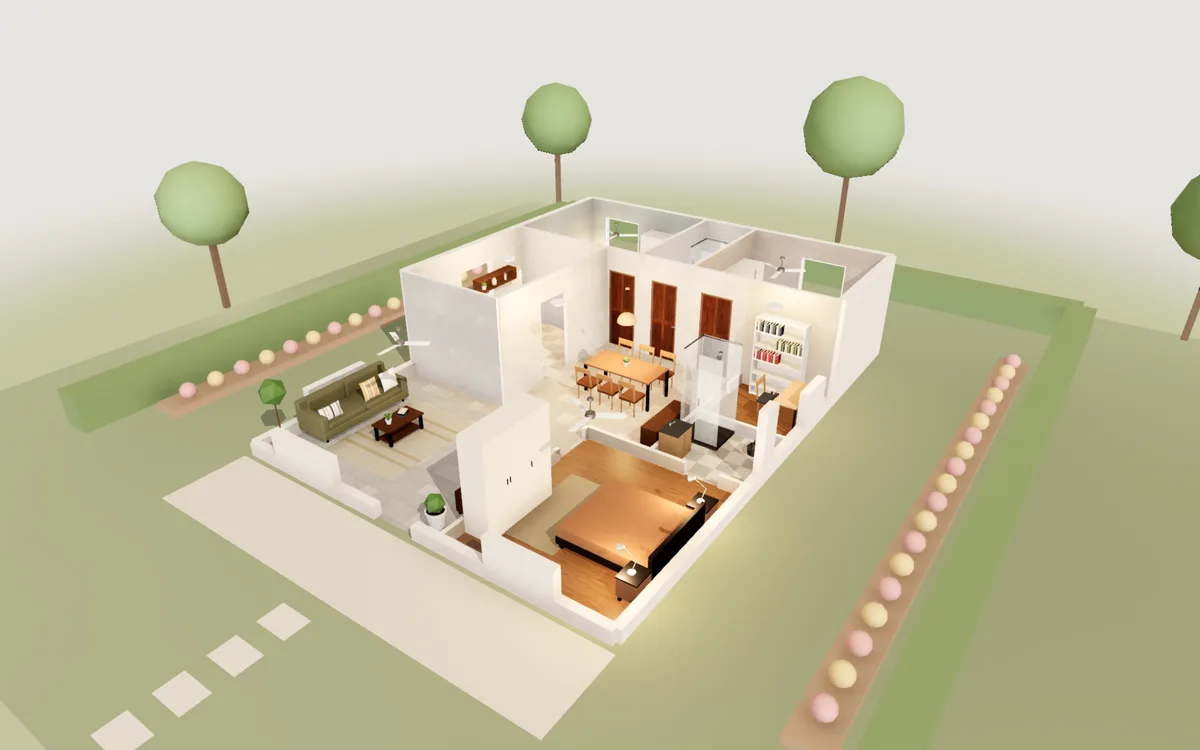
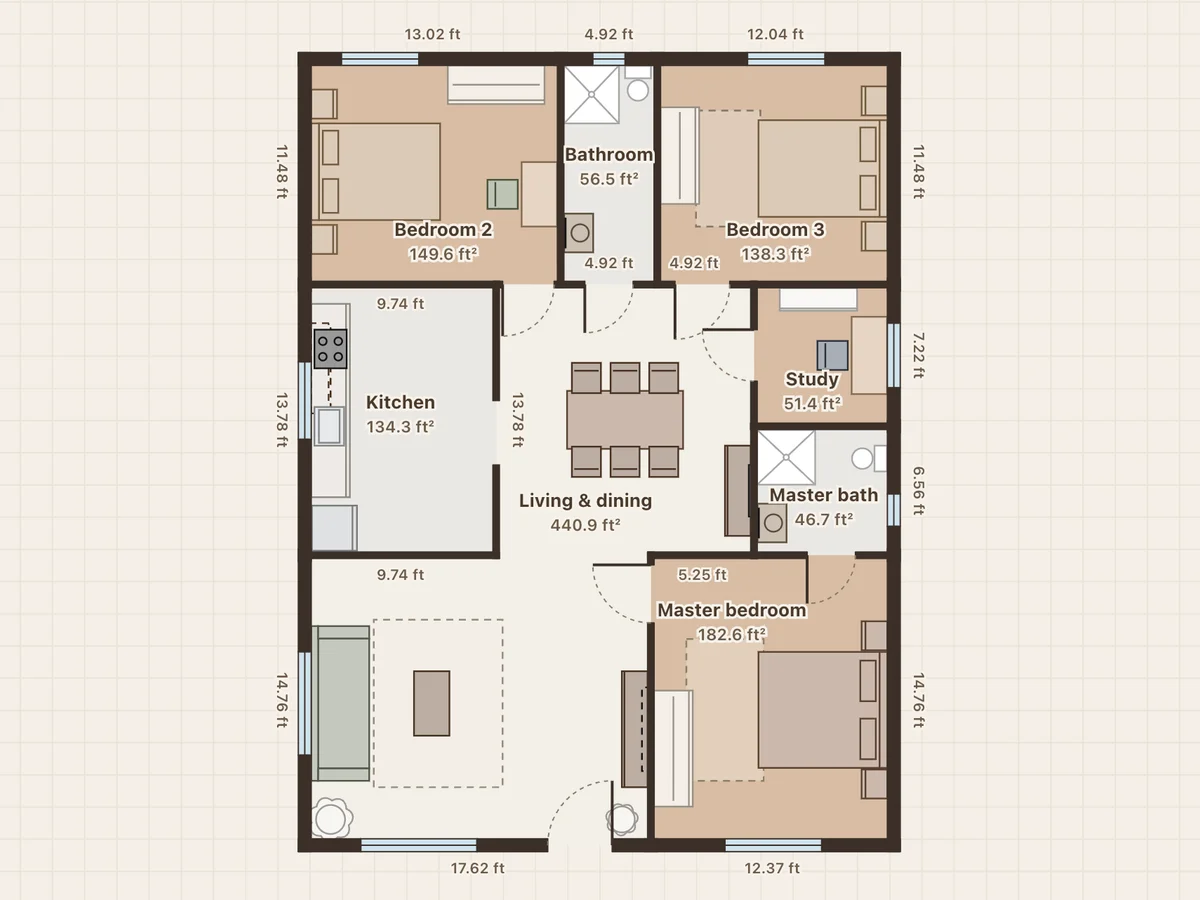
3BHK on a 30×40 plot
30×40 ft plot · 1,200 ft² · 3 bedrooms · 2 baths · study
A large living and dining hall, a master bedroom with its own bathroom, two more bedrooms, a common bathroom, a study and a separate kitchen.
Floor plan to 3D
Have a plan from your architect or builder, or a photo of one? Put it under the drawing, set its scale from one wall you know, and trace the walls over it. Each room appears in 3D as you close it, ready to furnish and walk through.
Free · No sign-up · Runs in your browser
On a phone you can view the plan and walk through it. Editing needs a computer.
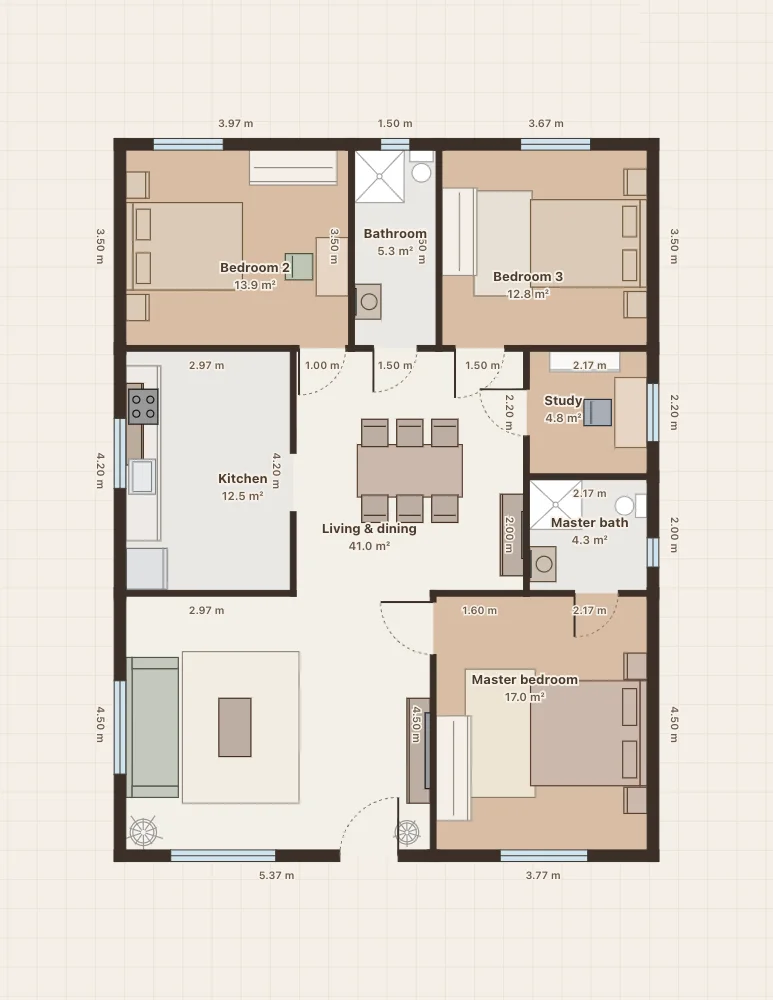
A photo, a scan or a screenshot of a PDF. Straighten and crop it if the photo was taken at an angle.
Click the two ends of one wall whose length you know, such as a 12 ft bedroom wall, and type that length. The whole image is scaled to match.
Draw walls over the lines of the plan. Close a room and its floor appears. Add doors and windows where the plan shows them.
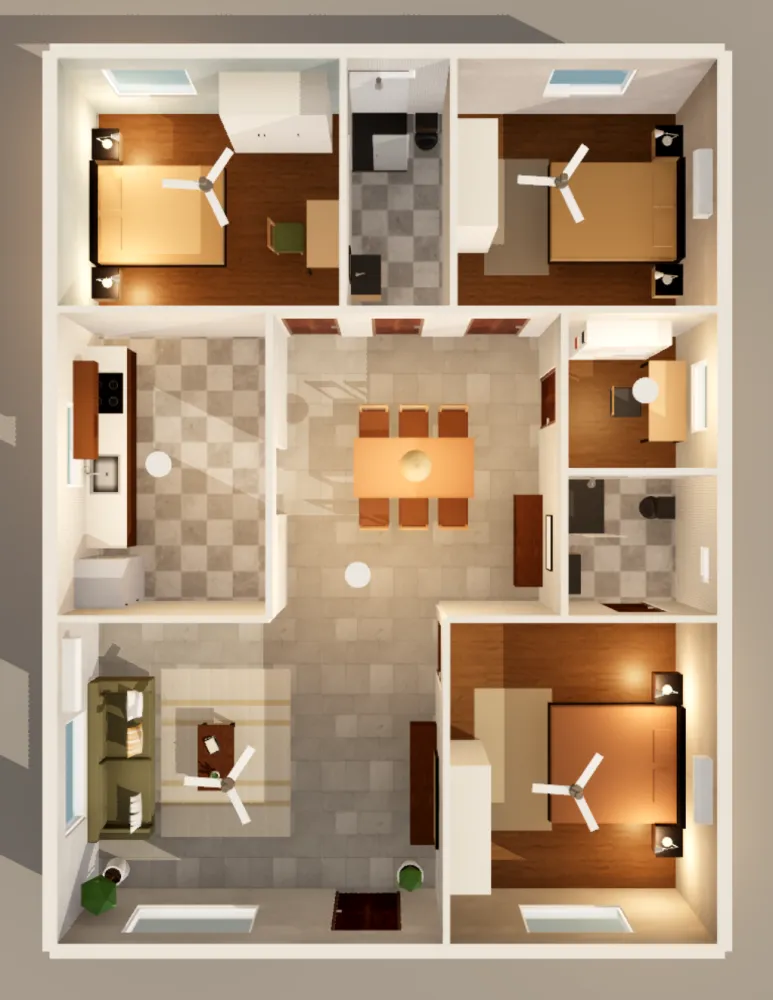
Place furniture, change the finishes and walk through the house at eye level. Export the traced plan as an A4 PDF.
A straight-on scan or a PDF screenshot traces better than a photo taken at an angle. If you photograph the plan, lay it flat and shoot from directly above.
Small errors shrink over distance: a 30 ft outer wall gives a more accurate scale than a 3 ft door.
Trace the outside of the house as one loop, then the inner walls. Corners snap to each other, so the rooms close cleanly.
Loftcraft does not read the plan image for you. You draw the walls over it, which takes a little longer but gives a plan you can check and edit.
30×40 ft plot · 1,200 ft² · 3 bedrooms · 2 baths · study
A large living and dining hall, a master bedroom with its own bathroom, two more bedrooms, a common bathroom, a study and a separate kitchen.
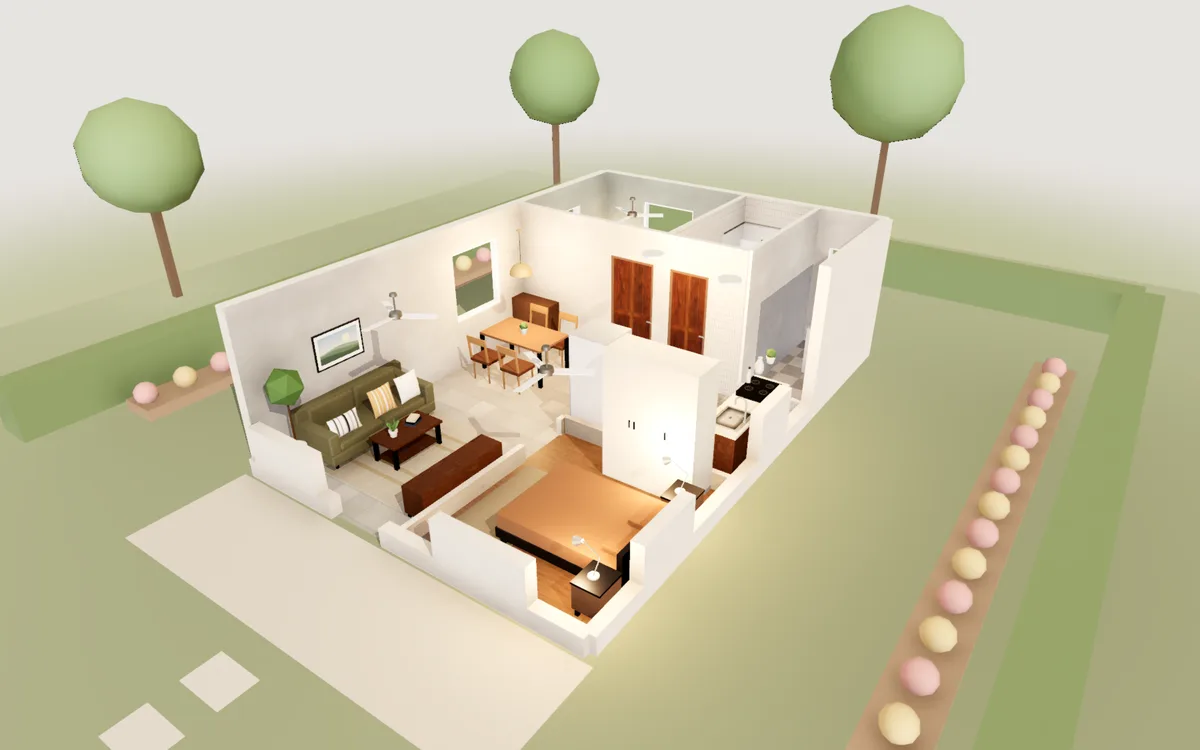
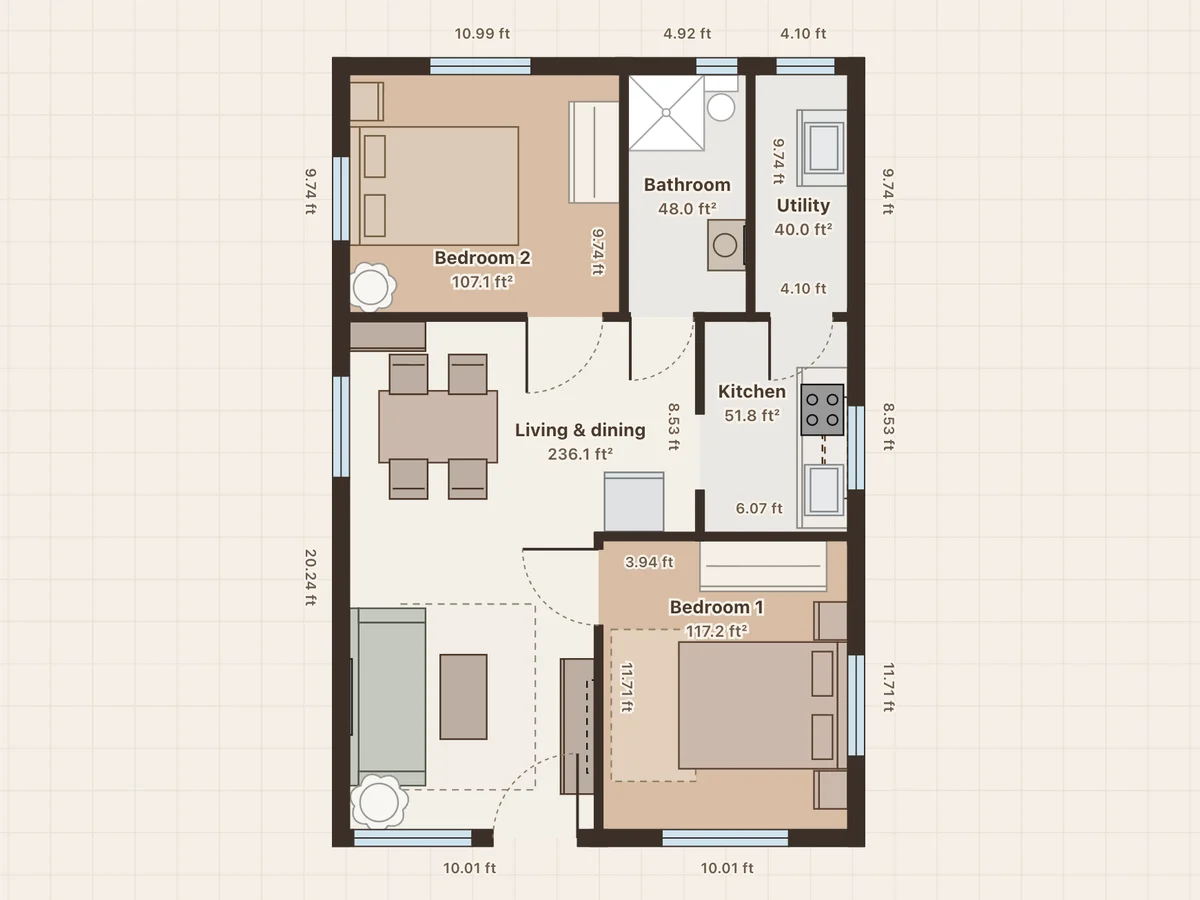
20×30 ft plot · 600 ft² · 2 bedrooms · 1 bath
The front door opens into one living and dining hall. A kitchen with a gas stove and a utility area at the back, two bedrooms with wardrobes and one bathroom.
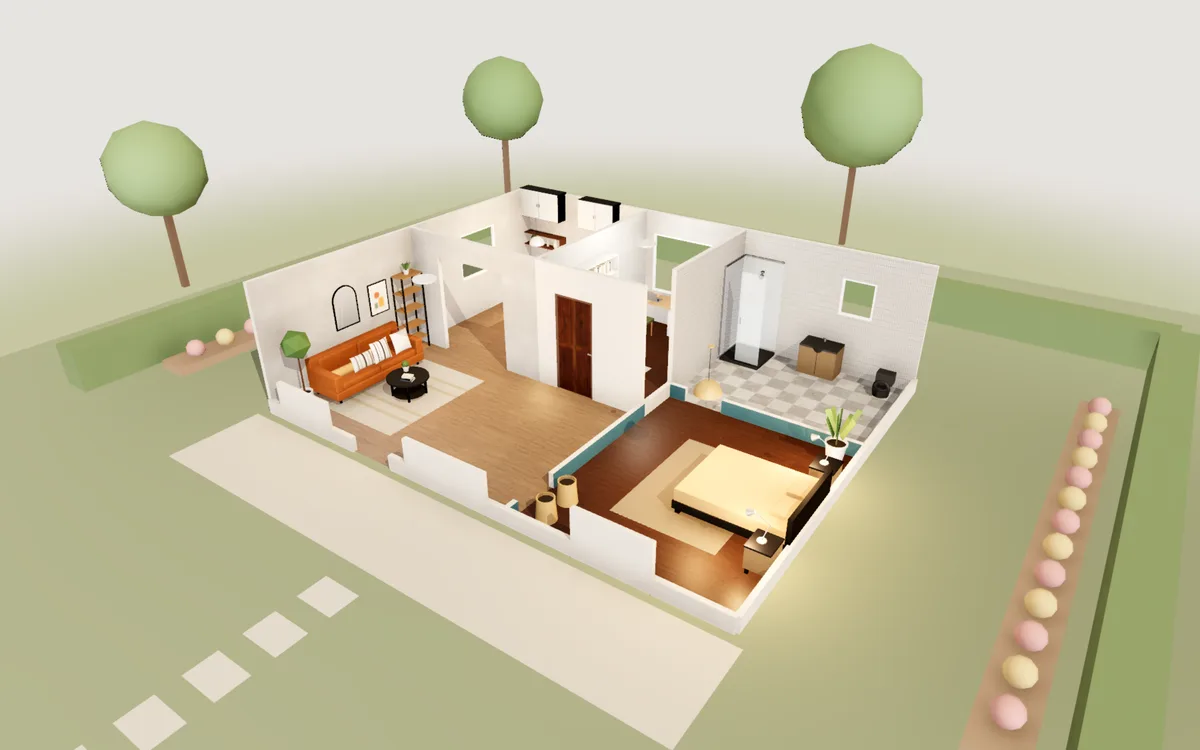
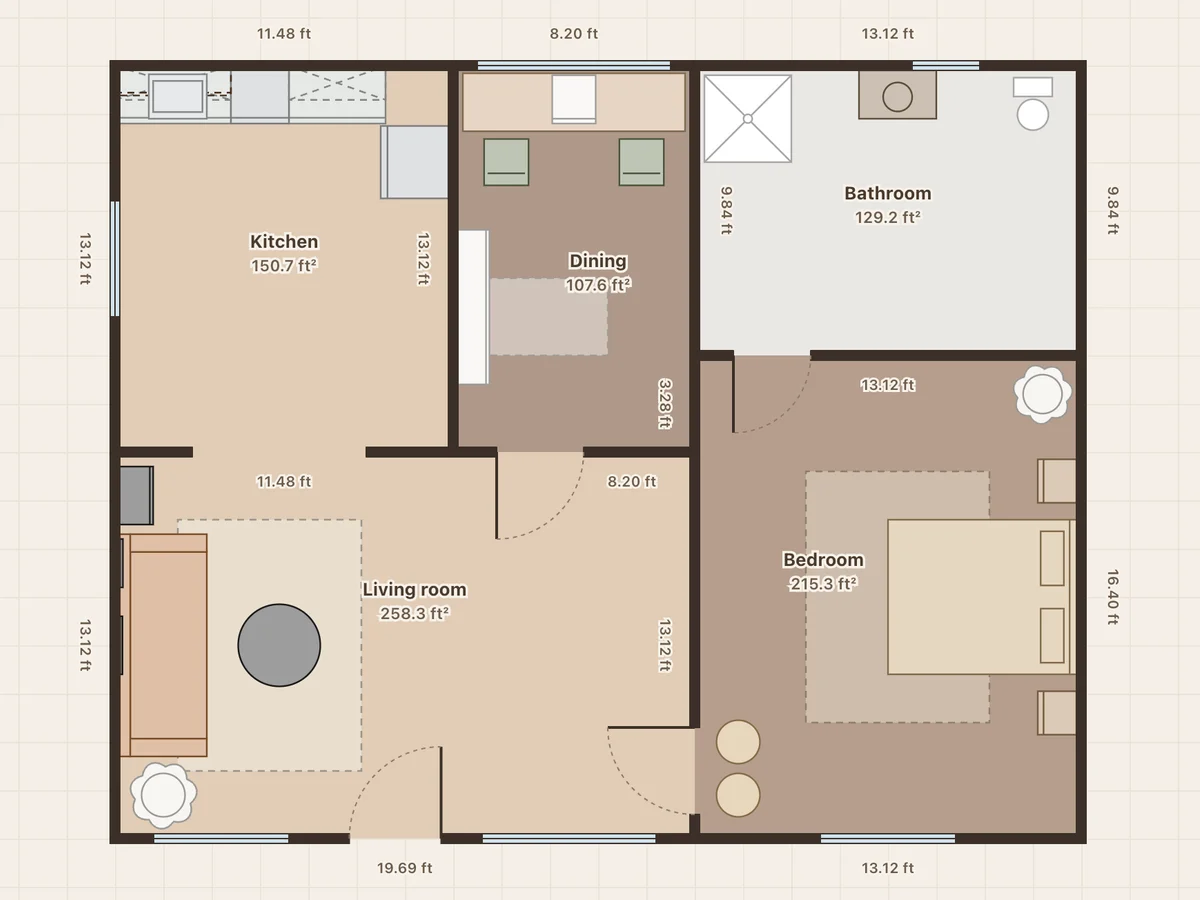
861 ft² · 80 m² · 1 bedroom · study · 1 bath
A living room with a reading corner, a compact kitchen, a small study with a desk and bookcase, a tiled bathroom and a teal bedroom.
Yes. Drawing, the 3D view, walking through, PDF export and photos are all free, with no trial period and nothing to unlock.
No. There is no account. Your projects are saved in this browser on this computer as you work.
Any image: JPG, PNG or WebP up to 5 MB. For a PDF plan, take a screenshot of the page first.
No. The image stays in your browser with the project. It is never sent to a server.
Drawing needs a mouse or a trackpad, so use a laptop or desktop. On a phone you can open any sample to see its floor plan and walk through it in 3D.
No. It runs in Chrome, Edge, Firefox or Safari on Windows, Mac, Linux and Chromebooks, on any computer with 3D graphics.