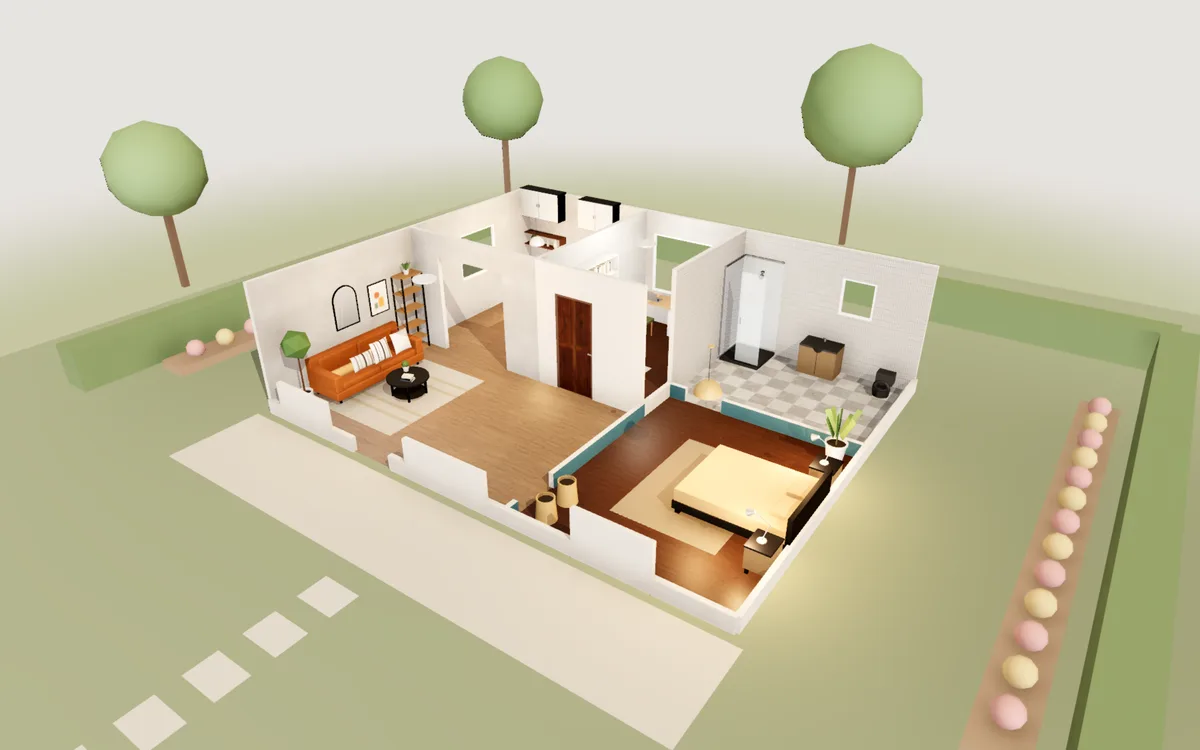
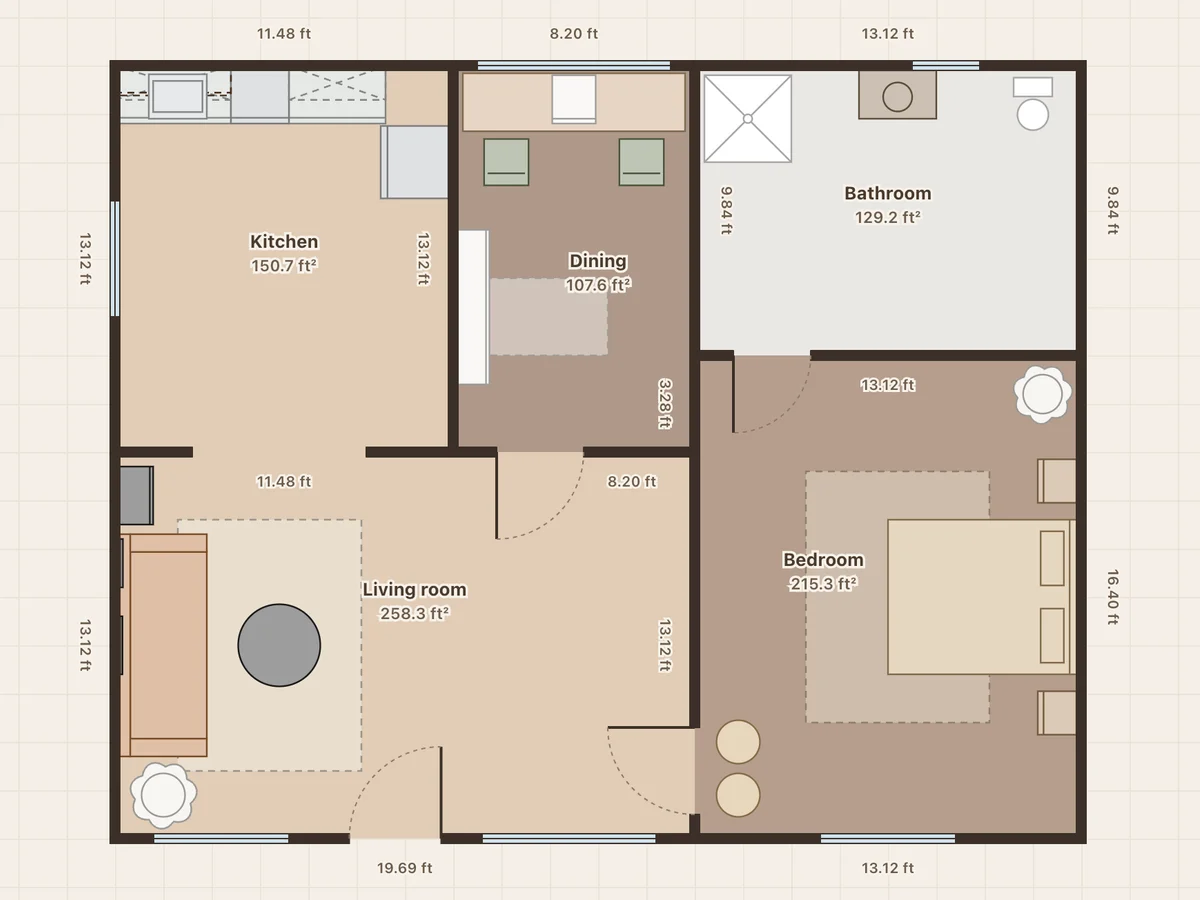
1BHK flat with study
861 ft² · 80 m² · 1 bedroom · study · 1 bath
A living room with a reading corner, a compact kitchen, a small study with a desk and bookcase, a tiled bathroom and a teal bedroom.
Free 3D room planner
Start from a furnished room or draw your own. Place sofas, beds, wardrobes and tables at their real sizes, stretch a piece to the size you are shopping for, repaint the walls and try a new floor. Then walk in at eye level and check it works before you buy anything.
Free · No sign-up · Runs in your browser
On a phone you can view the plan and walk through it. Editing needs a computer.
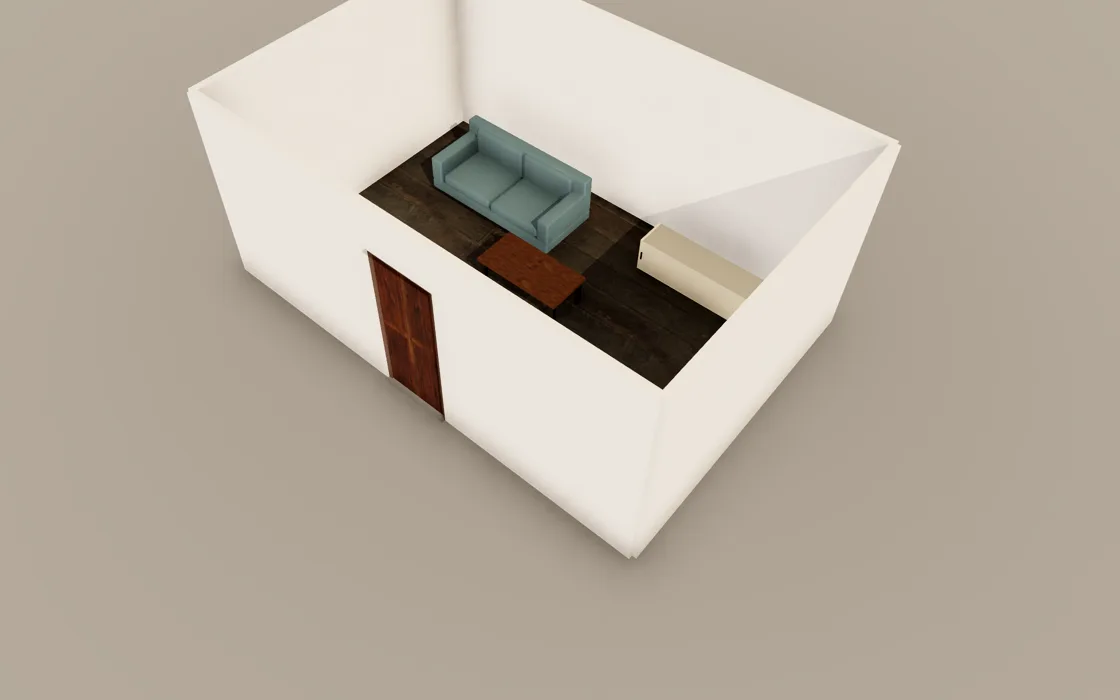
Open the starter room, or draw the walls to your own measurements in the 2D plan.
Pick furniture from the toolbar, or press Shift+A and type what you want. Pull a side of any piece to resize it; a sofa adds seats as it grows.
Color mode paints walls, floors and furniture, with textures like oak, marble or brick. Explore lets you walk through the room at eye level.
Keep 75 to 90 cm (30 to 36 in) for paths through a room, and about 60 cm beside a bed so you can make it.
Leave 40 to 45 cm between the sofa and the coffee table. Sit about 1.5 to 2.5 times the screen size away from the TV.
Hinged wardrobe doors need about 90 cm clear in front to open and stand at. Sliding doors need about 60 cm.
Resize each piece to the size on the product listing before you buy. It is cheaper to find out a sofa is too long here than on delivery day.
861 ft² · 80 m² · 1 bedroom · study · 1 bath
A living room with a reading corner, a compact kitchen, a small study with a desk and bookcase, a tiled bathroom and a teal bedroom.
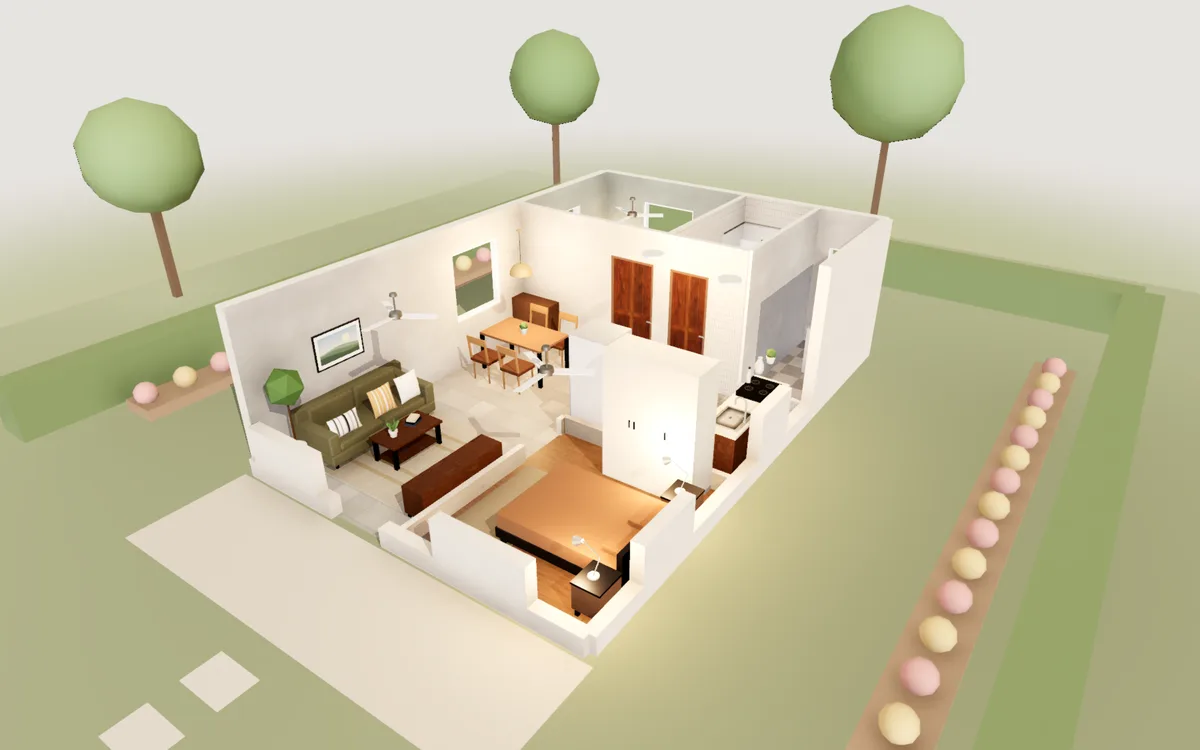
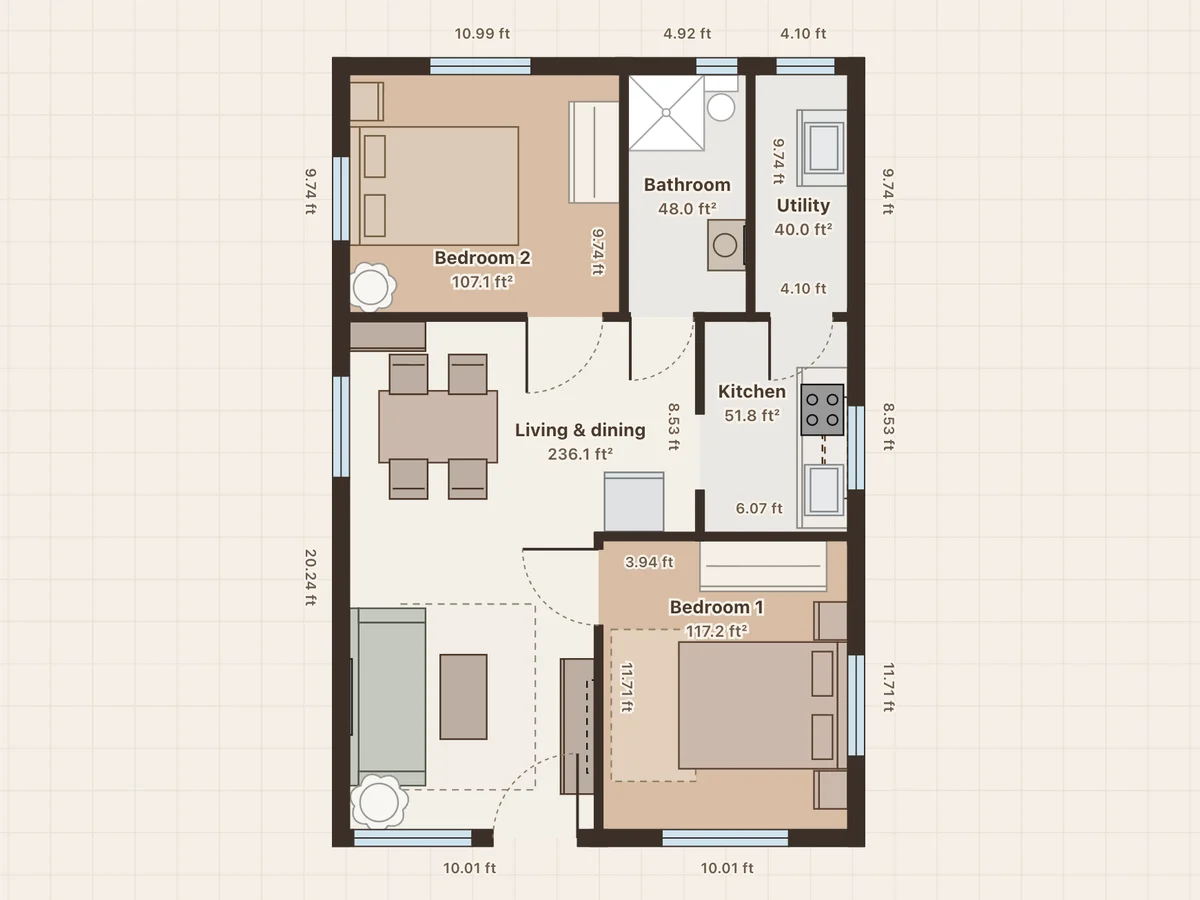
20×30 ft plot · 600 ft² · 2 bedrooms · 1 bath
The front door opens into one living and dining hall. A kitchen with a gas stove and a utility area at the back, two bedrooms with wardrobes and one bathroom.
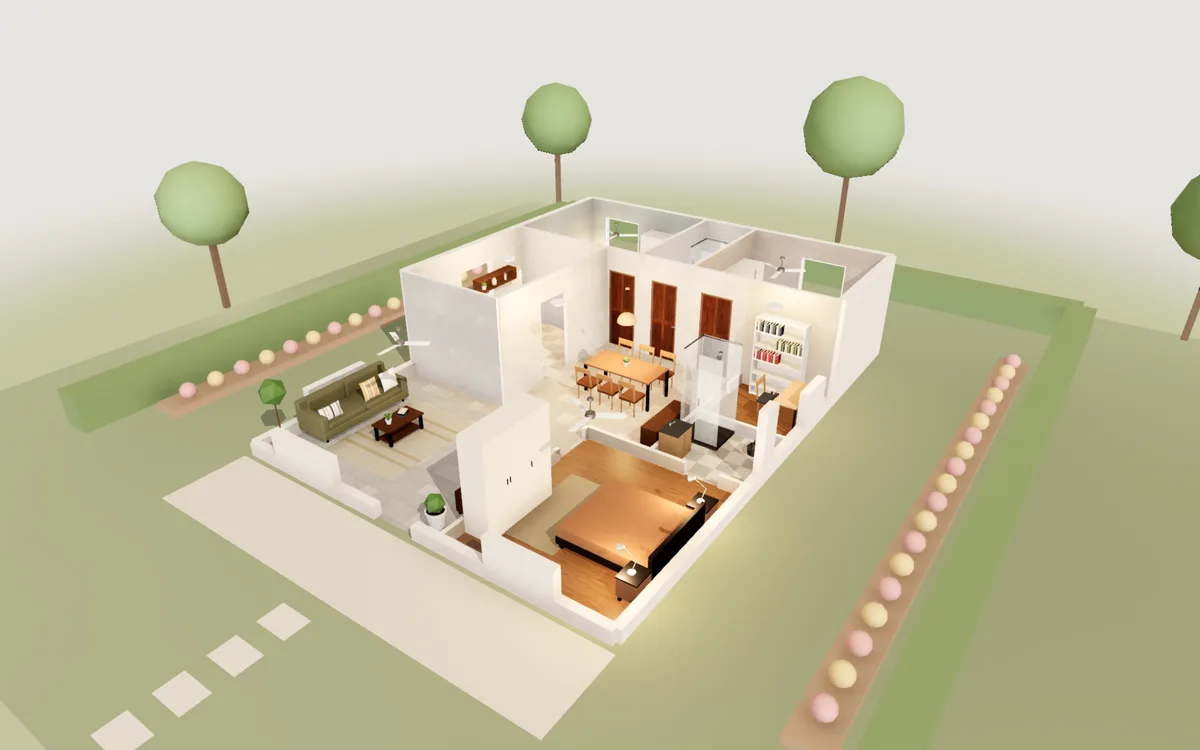
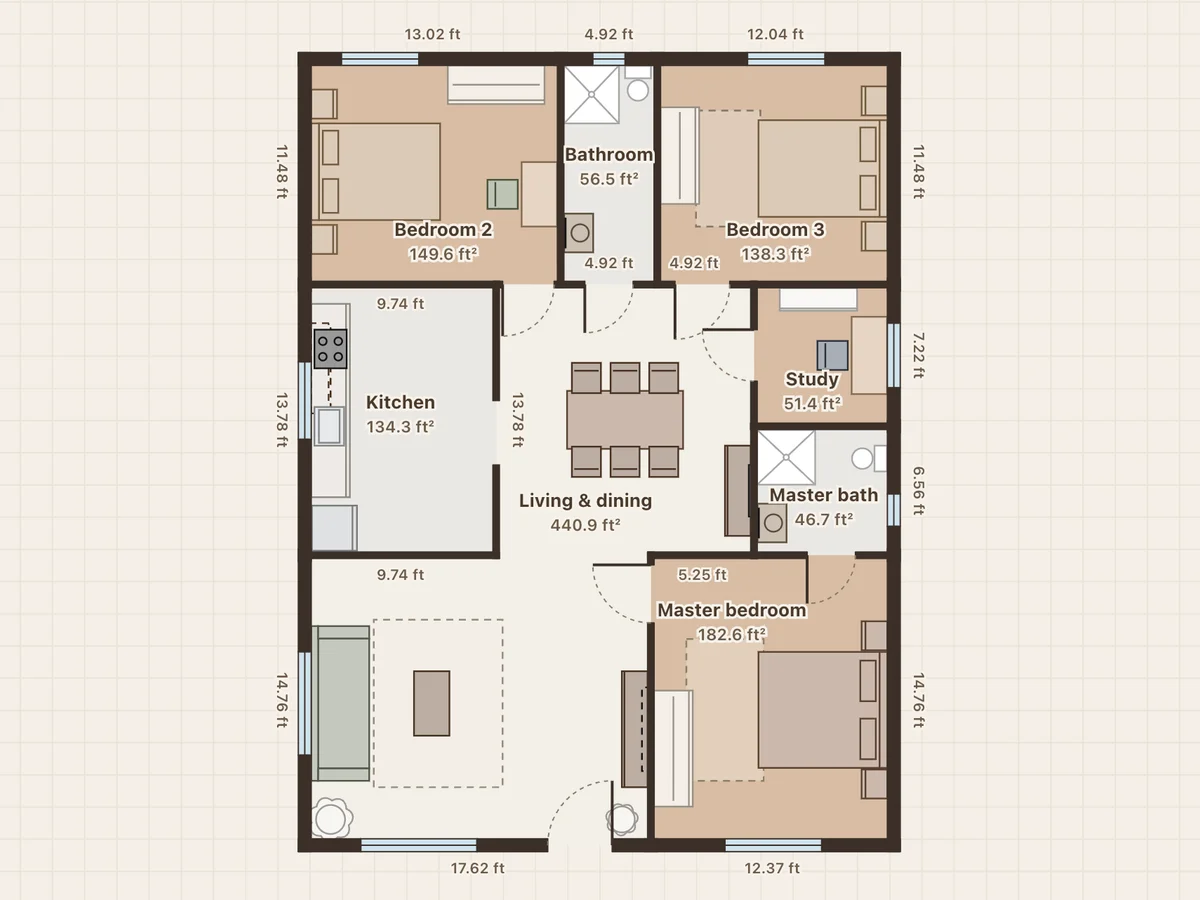
30×40 ft plot · 1,200 ft² · 3 bedrooms · 2 baths · study
A large living and dining hall, a master bedroom with its own bathroom, two more bedrooms, a common bathroom, a study and a separate kitchen.
Yes. Drawing, the 3D view, walking through, PDF export and photos are all free, with no trial period and nothing to unlock.
No. There is no account. Your projects are saved in this browser on this computer as you work.
No. It runs in Chrome, Edge, Firefox or Safari on Windows, Mac, Linux and Chromebooks, on any computer with 3D graphics.
Drawing needs a mouse or a trackpad, so use a laptop or desktop. On a phone you can open any sample to see its floor plan and walk through it in 3D.
Yes. Drag the walls of the starter room, or draw new walls; every closed room gets its own floor.
Yes. Render mode traces a photo-style picture of the view on your own computer in about ten seconds, and you can download it.